

Google Cloud Platform
Integrating logs from Google Cloud Platform into LogRocket
View logs from Google Cloud Platform within LogRocket
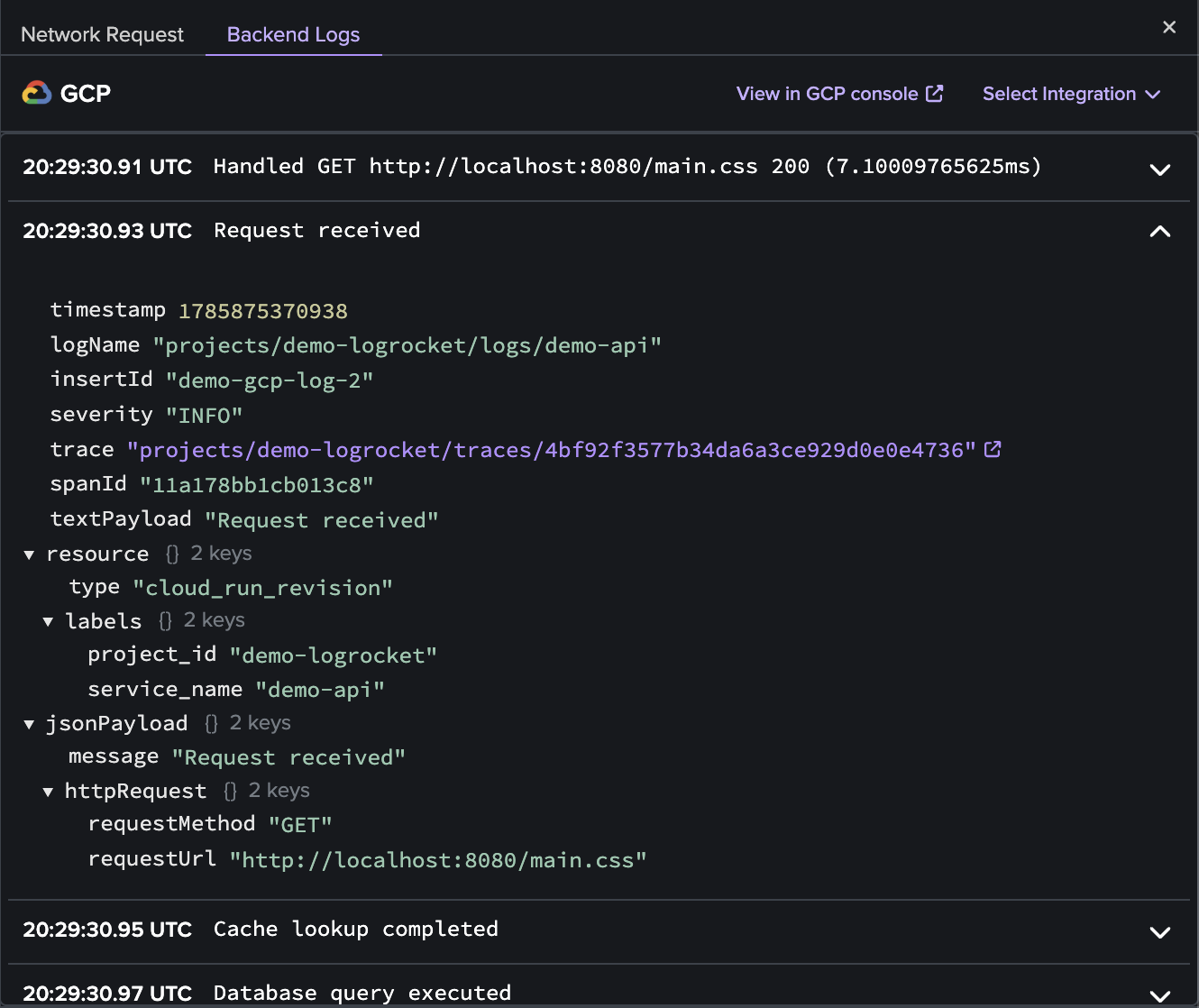
With our Google Cloud Platform (GCP) integration, you can view relevant logs from GCP directly within a network request in a LogRocket session replay so that you can see the underlying cause of a slow or broken network request even faster.
Visit the "Settings" page in LogRocket and click "Integrations". Scroll down to find the "Google Cloud Platform" card (within "Backend Integrations") and follow the instructions to configure this integration.
Legacy integrationsThe GCP integration was updated in October 2026 to eliminate reliance on customer-supplied service account keys. GCP integrations set up with a service account key will continue to function, though it is recommended that you reset your existing key-based integration and follow the instructions below to provision access via workload identity federation, which is a secure alternative that doesn't require storage of long-lived credentials.
Configure the integration
Setting up the GCP integration requires instantiating a number of objects within Google Cloud Platform. A workload identity pool and its provider work together to authenticate LogRocket's federated principal within your GCP environment. The suggested IAM binding provides that federated principal with blanket log-viewing access, though you may scope its permissions as appropriate.
- Input the name of your GCP project.
- Read the generated script carefully, and execute each command in sequence.
- The last command in the script block outputs the name of the generated OIDC provider. Enter it into the last field, and save the integration.
Once configured, you can find GCP logs in the backend logs tab of the network request detail pane.
Custom parameters
To help you query the most relevant logs within GCP, you can also choose to add custom parameters to your log query based on the network request. The parameters you can select from are as follows:
| Parameter | Description |
|---|---|
request.url | The full request URL |
request.method | The HTTP method of the request |
request.referrer | The request's referrer |
request.header.* | The full value of a request header (if present). For example, to retrieve the value of the accept header, specify request.header.accept. |
request.body.* | The full value of the specified body property in the request (only retrieves a value if the body is JSON and the property is present). E.g., to retrieve the value of a user property in the body, specify request.body.user (nested properties can be accessed as well) |
response.status | The HTTP status of the response |
response.header.* | The full value of a response header (if present). Behavior is identical to request headers above. |
response.body.* | The full value of the specified body property in the response (only retrieves a value if the body is JSON and the property is present). Behavior is identical to request body above. |
resource.mime_type | The MIME type of the resource |
resource.initiator_type | The entity or element that triggered this request |
You can use any of these within the Log Query that is configured in the GCP Integration Setup on the Settings page for the integration by wrapping them in double curly braces (ex. {{response.status}}). If a particular variable is not available for a specific request, LogRocket will not try to run the query on GCP.
Updated 6 days ago