

Filtering by class or ID
A quick guide for using the proper format when filtering by an element's class or ID
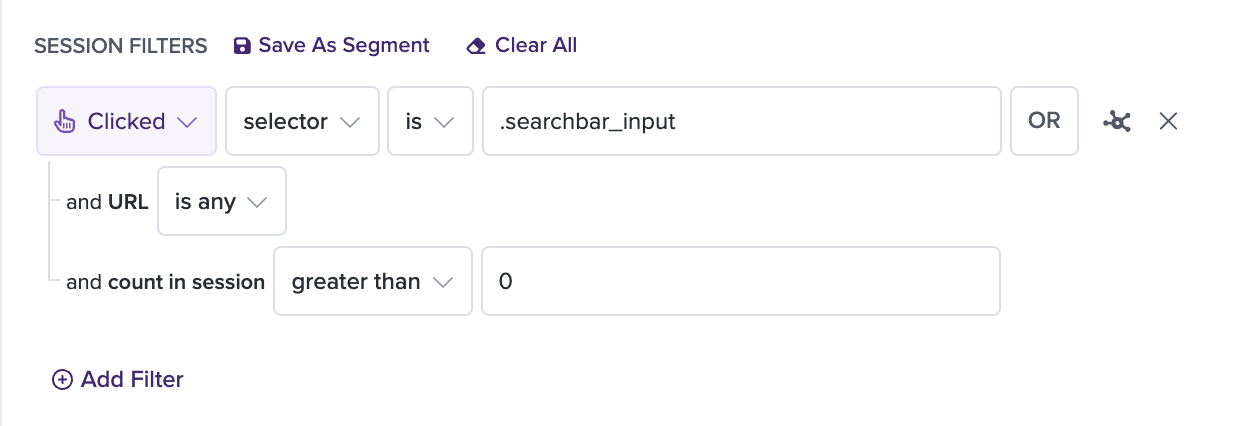
- Filtering by a class: change the filter dropdown to "selector" and place a period (".") at the beginning of the class name
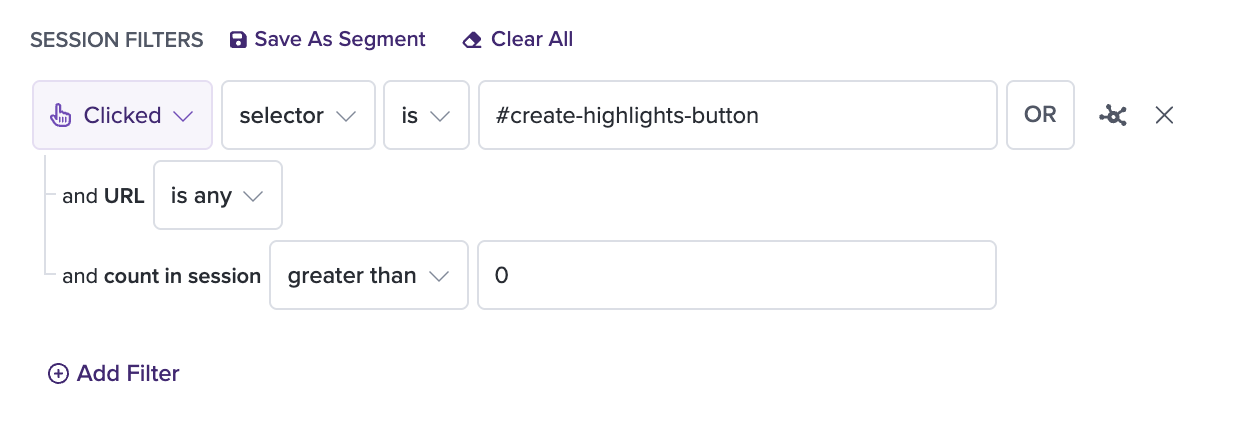
- Filtering by an ID: change the filter dropdown to "selector" and place the # symbol at the beginning of the ID name
CLASS EXAMPLE
ID EXAMPLE
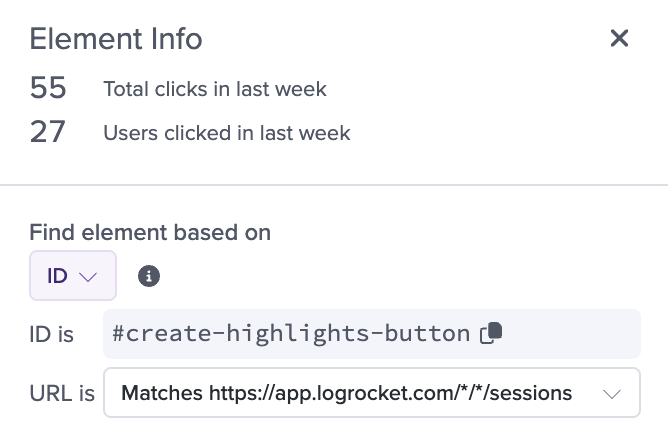
Note that if an ID is available, LogRocket's inspect tool will pick that up first, and will include the # automatically so that you can reuse it easily.
Additional Links
- Looking for advice on how to add IDs to your web app elements? This is going to be the best resource!
- This doc can help you add IDs to your mobile app!
Updated 8 months ago