

Why have my sessions stopped recording?
Common reasons why new sessions aren't recording
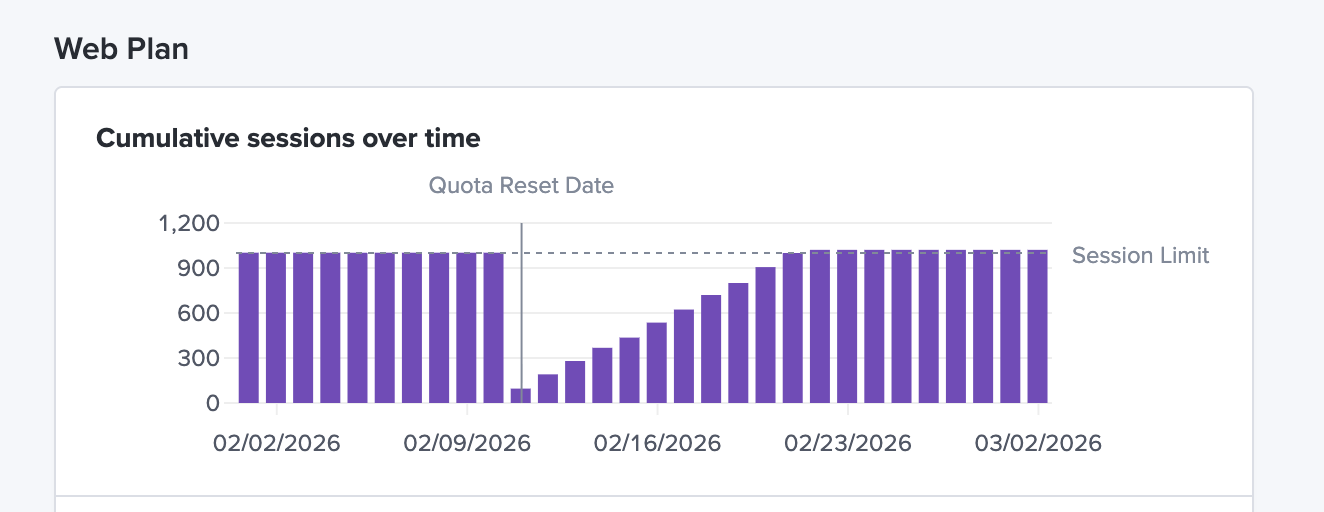
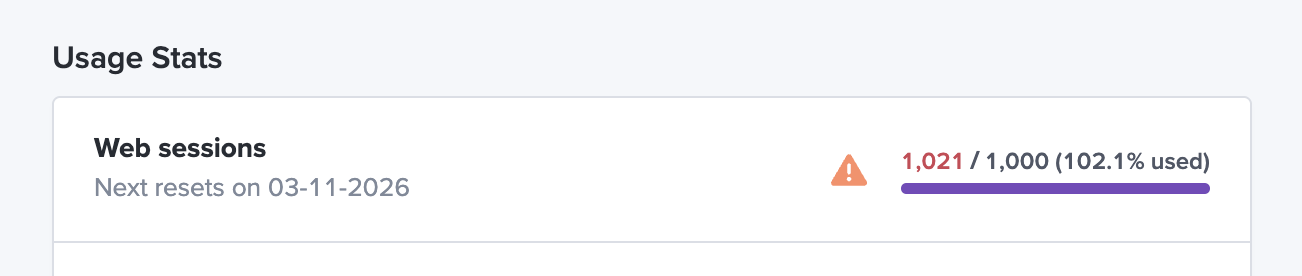
You've hit your monthly session quota
- Part of your LogRocket subscription is the number of sessions you can record each month, called your "session quota".
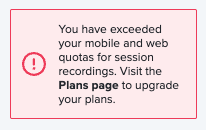
- There are separate session quotas for the Web SDK and the Mobile SDK. They are independent of one another which means that if the Web session quota has been reached, it does not affect the Mobile SDK.
- You will see a red warning on your LogRocket dashboard if either the Web or Mobile session quota has been met.
- Your quotas reset on the same day each month
- You can view your session quotas and reset data on the Plans page here
Recording Settings
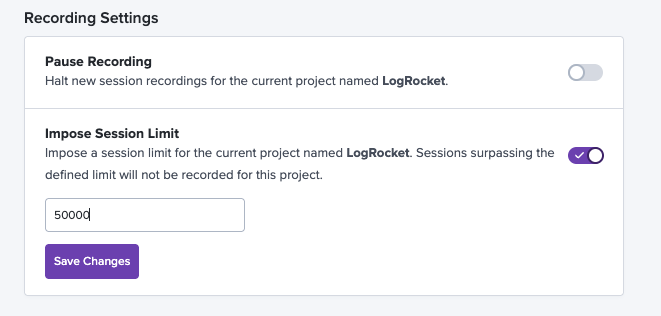
- Have you paused recording for this project?
- Have you set a session limit that has been reached?
- If so, you should see a warning message in the bottom left corner of the dashboard.
- check your Recording Settings here
You've removed LogRocket.init from your app
- LogRocket.init is what triggers a session to be captured
- If you've removed LogRocket.init from your app, then new LogRocket sessions will not be recorded
Conditional Recording (if you have this add-on)
- Conditional Recording is an add-on feature that allows you to set conditions for when to capture sessions
- If you've set conditions that are too strict, then you'll stop seeing sessions captured as frequently
Learn more about your Recording Settings options here!
Updated 4 months ago