

Release Recaps
Get a summary of how users engage with your new features
After product managers and engineers ship a new feature, most folks try to observe how users use the new feature by watching sessions and building metrics of usage. However, it can be easy to forget to do this evaluation work as we focus on new features and functionality. This means that important issues might go unnoticed, and we forget to celebrate the success of a great launch.
What is it?
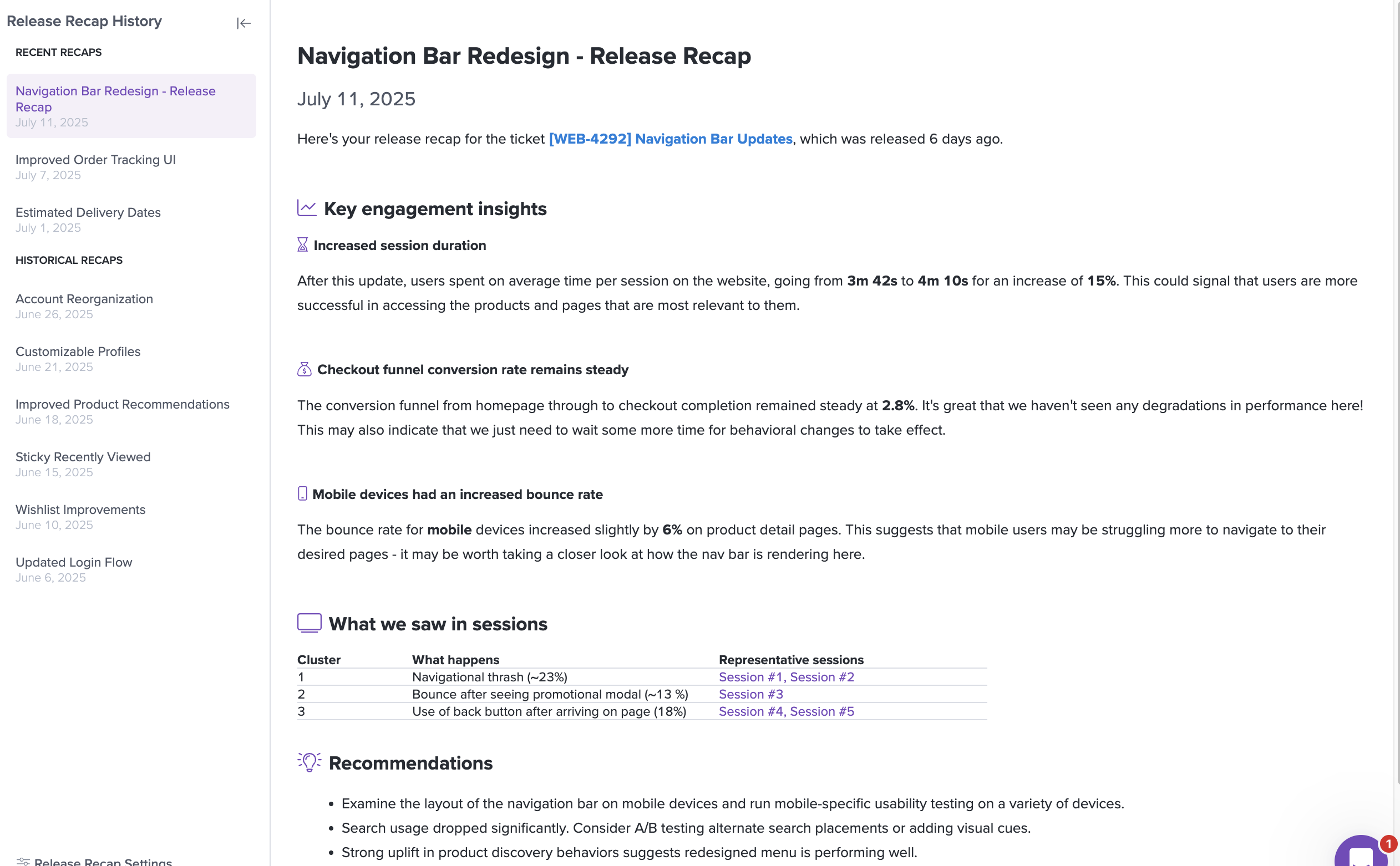
With Release Recaps, LogRocket Galileo AI scans your project management tool or Github to detect newly-finished tickets and delivers timely updates about how these new features are performing with users:
Supported integrations
You need at least one of these connected to your LogRocket project.
- Jira Cloud: completed tickets
- Linear: completed issues
- GitHub: pull requests merged into a branch you choose (for example
main)
How does it work?
- Galileo checks your recent work every day. Release Recaps looks at tickets recently completed in Jira or Linear, and at pull requests recently merged into your selected GitHub branch. It focuses on user-facing changes, and groups related work across tickets and pull requests. If you want to 'force' a recap to be generated for a particular ticket, you can add a 'logrocket' tag or comment '@logrocket' on the ticket - see the Settings for more details.
- Galileo matches each release to the right LogRocket project. It only creates a recap for a project where the changed pages and features appear in that project's session data. If you want more control and determinism over this, you can visit the Settings to specify which project in LogRocket maps to which project(s) in Jira or Linear.
- Galileo researches each release. It watches relevant sessions and builds analytics to see how users are engaging with the change and whether they're running into trouble.
- Galileo publishes a Release Recap and pushes Issues. Findings are published to your Release Recaps page. Urgent or severe issues that Galileo finds as part of a recap are surfaced within the Issues page.
How do I get access?
Release Recaps is available for all Pro customers in the main dashboard.
Updated 11 days ago